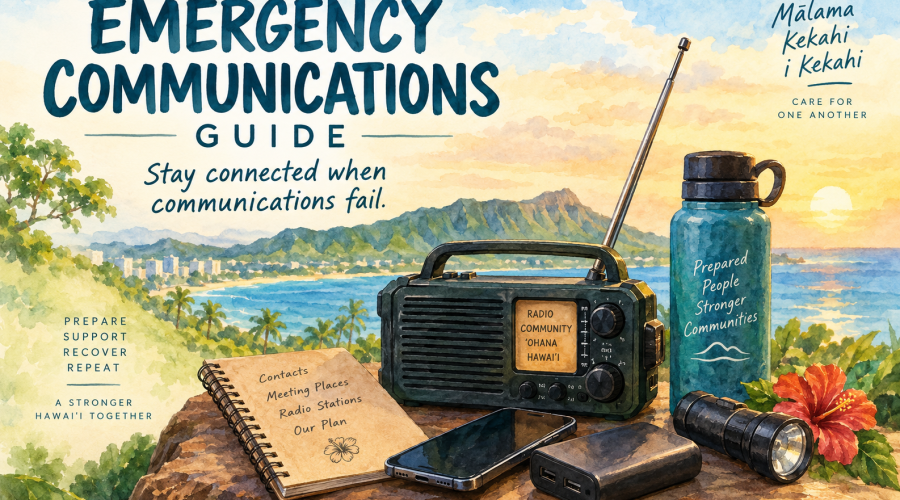
Emergency Communications Guide
Stay connected when communications fail.
During an emergency, electricity, cellular service, internet access, and familiar sources of information may become unreliable or unavailable.
The goal is not to depend on one system.
Prepare several ways to receive information, several ways to communicate, and a simple plan your household can follow without needing the internet.
In Hawaiʻi, official warnings can reach us through county alerts, Wireless Emergency Alerts, outdoor warning sirens, the Emergency Alert System, radio and television, NOAA Weather Radio, and other government channels. Hawaiʻi’s statewide warning system intentionally uses multiple methods because no single communications channel should be assumed to work in every emergency.
And when those systems become strained, community matters.
Official information comes first. Community communication helps it travel farther.
BEFORE AN EMERGENCY
Set up your communications plan before you need it.
1. Sign up for official alerts.
Each of Hawaii’s four counties issues local emergency alerts. Residents can sign up for text or email notifications covering natural disasters and civic emergencies.
Hawaiʻi Emergency Alerts & Official Information
Register every household phone that should receive alerts.
2. Keep Wireless Emergency Alerts enabled.
Wireless Emergency Alerts, or WEAs, deliver geographically targeted sound-and-text emergency warnings to compatible mobile phones and are part of Hawaiʻi’s larger alert and warning system.
Do not disable these alerts simply because you receive occasional tests or alerts that do not affect you personally.
3. Have a battery-powered or hand-crank radio.
Do not assume your phone will always be your source of information.
Keep a portable AM/FM radio and fresh backup batteries with your emergency supplies. A hand-crank or solar-capable radio can provide another layer of redundancy.
4. Consider a NOAA Weather Radio.
NOAA Weather Radio broadcasts National Weather Service warnings, watches, forecasts, and other hazard information 24 hours a day across Hawaiʻi.
Look for a receiver with battery backup. Models with SAME — Specific Area Message Encoding — can be programmed to alert for selected geographic areas.
5. Write important information down.
Keep a paper copy of:
Important phone numbers
Household and ʻohana contacts
Medical and caregiving contacts
Meeting locations
Your out-of-area contact
Emergency radio stations and frequencies
Your household communications plan
Keep one copy with your emergency supplies.
A phone with a dead battery should not take your entire communications plan with it.
WHEN COMMUNICATIONS FAIL
1. Protect life first.
Do not delay evacuation, sheltering, or other protective action because you are trying to contact someone.
If you receive an official warning or evacuation instruction, follow it.
For an immediate life-threatening emergency, call 911 when service is available.
Support Local Hawaii and Emergency Stewards do not replace Civil Defense, emergency management, first responders, or other public safety authorities.
IF YOU HEAR AN OUTDOOR WARNING SIREN
Hawaii’s outdoor sirens are part of the statewide public warning system and can be used for many hazards—not only tsunamis.
If you hear a siren outside a scheduled test, seek official emergency information immediately.
Turn on local radio or television, check Wireless Emergency Alerts, and consult official government information when connectivity is available. Hawaii’s current Emergency Operations Plan specifies that during an emergency a steady three-minute siren alerts the public to turn on radio or television for emergency information, with Emergency Alert System activation following the siren.
A siren is the alert—not the complete instruction.
Find out what is happening.
Then act.
CONSERVE YOUR PHONE
When cellular networks are strained, use your phone differently.
Keep essential calls brief. Use text messaging when appropriate rather than repeatedly making nonessential calls. Avoid unnecessary streaming, downloads, video calls, cloud backups, and constant social-media refreshing.
Lower screen brightness. Use low-power mode. Turn off unnecessary wireless services when appropriate. Preserve portable battery packs for essential communication.
If a non-urgent message does not immediately send, avoid repeatedly resending it.
And don’t use precious battery simply to keep checking whether service has returned.
Your phone is an emergency tool.
Treat its battery like a limited supply.
MOVE DOWN THE COMMUNICATIONS LADDER
If your normal source stops working, don’t stop looking for information. Change methods.
INTERNET AVAILABLE
Official county/state emergency websites
↓
National Weather Service
↓
Official agency communications
CELLULAR DATA UNAVAILABLE
Wireless Emergency Alerts
↓
SMS / text messaging
↓
Voice calling when necessary
CELLULAR NETWORK UNAVAILABLE
Broadcast radio
↓
NOAA Weather Radio
↓
Television where available
↓
Information provided directly by emergency officials
POWER UNAVAILABLE
Battery / hand-crank radio
↓
NOAA Weather Radio
↓
Vehicle radio when it can be used safely
↓
Established official/community information points
No single channel should be considered guaranteed.
HAWAIʻI EMERGENCY RADIO
Program these stations before you need them.
HI-EMA currently identifies the following stations as emergency radio stations for Hawaii’s counties.
|
Area |
Emergency radio stations |
|---|---|
|
Hawaiʻi Island — Hilo |
94.7 FM KWXX · 97.9 FM KKBG |
|
Hawaiʻi Island — Kona |
101.5 FM KWXX/KAOY · 106.1 FM KLEO |
|
Maui County |
102.5 FM / 900 AM KMVI · 96.7 FM / 1110 AM KAOI |
|
Oʻahu |
92.3 FM / 590 AM KSSK · 96.3 FM KRTR · 1210 AM KZOO (Japanese) · 104.7 FM KNDI (multicultural) |
|
Kauaʻi |
93.5 FM KQNG · 91.9 FM KKCR |
Write the stations for your island on your emergency plan and program them into your radio now.
Station assignments can change. Check the current HI-EMA listing periodically, particularly before hurricane season or another elevated-risk period.
NOAA WEATHER RADIO — HAWAIʻI
NOAA Weather Radio uses dedicated frequencies and requires a receiver capable of receiving them. An ordinary AM/FM radio by itself will not receive NOAA Weather Radio.
Current Hawaiʻi transmitters include:
Hawaiʻi Island
162.500 MHz — North Kohala/Kamuela area
162.550 MHz — South Point
162.500/162.550 MHz — additional Big Island coverage depending on transmitter
Maui County
162.400 MHz — Haleakalā
Oʻahu
162.450 MHz — Hawaiʻi Kai
162.550 MHz — Mt. Kaʻala
Kauaʻi
162.400 MHz — Kōkeʻe
162.450 MHz — Līhuʻe
Because transmitter coverage overlaps islands in some areas, your radio may receive more than one frequency. The National Weather Service Honolulu office currently broadcasts on 162.400, 162.450, 162.500 and 162.550 MHz across the Hawaiian Islands.
YOUR ʻOHANA COMMUNICATION PLAN
Every household should be able to answer four questions without looking online.
Where will we meet?
Choose one location close to home and another outside your immediate neighborhood.
Make sure keiki and other household members know both.
Who is our out-of-area contact?
Choose a trusted person outside your community whom household members can contact if local communications are disrupted.
Make sure everyone has that person’s number on paper, not just stored in a phone.
Who may need help?
Think beyond your immediate household.
Consider:
Kūpuna
Keiki
Neighbors living alone
People with disabilities or access and functional needs
People who may face language barriers
Anyone dependent on powered medical or communications equipment
What will we do if we cannot communicate at all?
Where will you go?
Who will check on whom?
How long will you wait?
What circumstances would change the plan?
Agree on the basics beforehand.
Write the plan down and give everyone a copy.
OFFICIAL INFORMATION FIRST
During an active emergency, instructions from county Civil Defense/emergency management, first responders, Hawaiʻi Emergency Management Agency, the National Weather Service, and other responsible authorities take priority.
Support Local Hawaii has an important but different role.
We can help people find official information, connect with community resources, identify unmet needs, and help useful information reach people who might otherwise miss it.
We do not turn community information into official information.
If an official evacuation order, warning, closure, shelter instruction, or other emergency directive has been issued:
Follow the official instruction.
Do not wait for confirmation from social media, Support Local Hawaii, an Emergency Steward, or a neighbor.
VERIFY BEFORE YOU AMPLIFY
Emergencies create information vacuums.
Rumors fill them quickly.
Before sharing an evacuation notice, road closure, shelter location, missing-person report, hazard map, donation request, supply need, or claim that an emergency has ended:
CHECK THE SOURCE.
CHECK THE TIME.
CHECK THE LOCATION.
Ask:
Who originally provided this information?
Is there an official source?
When was it published or confirmed?
Does it actually apply to this island and community?
Has the situation changed since it was posted?
A screenshot may be authentic and still be several days old.
A post may be correct and refer to another island.
A message forwarded by someone you trust can still be wrong.
And digital images, audio, video, or text can be manipulated or generated to appear authentic.
Accuracy is more important than being first.
Do not become another point of failure in the communications system.
THE EMERGENCY STEWARDSHIP COMMUNICATION STANDARD
Community information can identify needs, connect resources, and help important information reach people quickly.
That usefulness depends on trust.
Emergency Stewards should follow a simple standard:
SEE IT → VERIFY IT → SHARE IT → UPDATE IT → CLOSE THE LOOP
SEE IT
Determine what actually happened, where, when, and who observed or reported it.
VERIFY IT
Find the original source. Seek official or independent confirmation when appropriate. Clearly distinguish firsthand, verified, official, and unverified information.
SHARE IT
Include the what, where, when, source, and current status. Never change the meaning of an official instruction.
UPDATE IT
Emergency information expires quickly. Whenever practical, include:
Last verified: [DATE] at [TIME] HST
CLOSE THE LOOP
If the need has been met, say so. If a shelter fills, update it. If a road reopens, correct the closure. If volunteers are no longer needed, remove the request. If information proves wrong, correct it openly.
Closing the loop keeps people, supplies, donations, and attention from being sent where they are no longer needed.
ACCESSIBLE COMMUNICATIONS
Emergency information needs to reach everyone.
Households, caregivers, organizations, and community stewards should plan ahead for communication needs involving:
Hearing
Vision
Mobility
Cognitive accessibility
Language access
Limited or no internet access
Reliance on powered assistive or communications equipment
Some NOAA Weather Radio receivers can also work with external alerting accessories designed for people who cannot rely on an audible alarm.
But accessibility is not only about equipment.
Check on people who may not reliably receive digital alerts.
Help kūpuna access official information.
Relay information to neighbors without internet service.
When critical information requires translation, use trustworthy official translations whenever available rather than casually translating safety instructions in ways that could alter their meaning.
Resilience is collective.
Sometimes the most important communications network is simply one neighbor reaching another.
IF EVERYTHING GOES DOWN
If you have no electricity, no internet, no cellular service, and no working landline:
Do not assume the absence of information means the absence of danger.
Return to the plan you made before the emergency.
Stay somewhere safe unless conditions or official instructions require movement.
Turn on your battery-powered radio and monitor your preselected emergency stations.
Check NOAA Weather Radio if available.
Conserve batteries.
Look for information from emergency officials and established information points.
Use established community contacts.
Check on nearby people when it is safe to do so.
Avoid unnecessary travel.
Do not put yourself in danger simply to obtain information.
And if communications return, go back to official sources first.
FOR EMERGENCY STEWARDS
If you are helping gather, verify, or relay community information, your credibility matters.
Before submitting an update, try to capture:
WHAT — What happened or what is needed?
WHERE — Where is it happening?
WHEN — When was it observed or last confirmed?
SOURCE — Where did the information originate?
STATUS — Official, verified, firsthand, secondhand, or unverified?
NEED — What action, resource, or assistance is actually needed?
LAST VERIFIED — When should someone check this information again?
Protect people’s privacy.
Do not publish sensitive personal information simply because you have access to it.
Do not enter closed or hazardous areas to obtain information.
Do not interfere with first responders.
And never allow documenting an emergency to become more important than protecting life.
Stewardship begins with responsibility.
THE 5-MINUTE COMMUNICATIONS CHECK
Before you leave this page:
☐ Sign up for your county’s emergency alerts
☐ Make sure Wireless Emergency Alerts are enabled on your phone
☐ Identify your island’s emergency radio stations
☐ Program those stations into your radio
☐ Consider adding a NOAA Weather Radio
☐ Put a battery-powered or hand-crank radio in your emergency supplies
☐ Write down important phone numbers
☐ Choose household meeting locations
☐ Choose an out-of-area contact
☐ Make a plan for anyone who may need assistance
☐ Keep charging cables and backup power available
☐ Give household members a paper copy of the plan
Five minutes now can matter when communications don’t work later.
ONE PRINCIPLE TO REMEMBER
Don’t rely on one device, one network, or one source.
Communications systems can fail.
Prepared communities build redundancy:
Official alerts.
Radio.
Written plans.
Backup power.
Trusted information.
Prepared households.
Neighbors looking out for neighbors.
When communications work, use them wisely.
When networks become strained, conserve them.
When information is uncertain, verify it.
When information changes, update it.
When someone may not have received an alert, help it reach them.
And when systems become disconnected:
People become the network.
Prepare now. Stay informed. Share verified information.
Mālama kekahi i kekahi — care for one another.
OFFICIAL RESOURCES
Hawaiʻi Emergency Management Agency — Get Alerts
Hawaiʻi Outdoor Warning Siren System
National Weather Service Honolulu — NOAA Weather Radio
EMERGENCY STEWARDSHIP
PREPARE • SUPPORT • RECOVER • REPEAT
Support Local Hawaii’s Emergency Stewardship initiative helps connect our communities with official information, verified community resources, opportunities to help, and one another.
Support Local Hawaii is not an emergency response agency. During an emergency, follow instructions issued by Civil Defense, emergency services, first responders, and other appropriate authorities.
Information in this guide should be periodically reviewed because radio stations, frequencies, alert systems, links, and emergency procedures can change.
Return to Hawaiʻi Emergency Stewardship